The wedding planner with a guest camera
Plan the wedding.
Keep every photo.
The calm planning app with your checklist, guest list, budget and timeline in one place. Plus a shared album your guests fill from their phones.
Plan
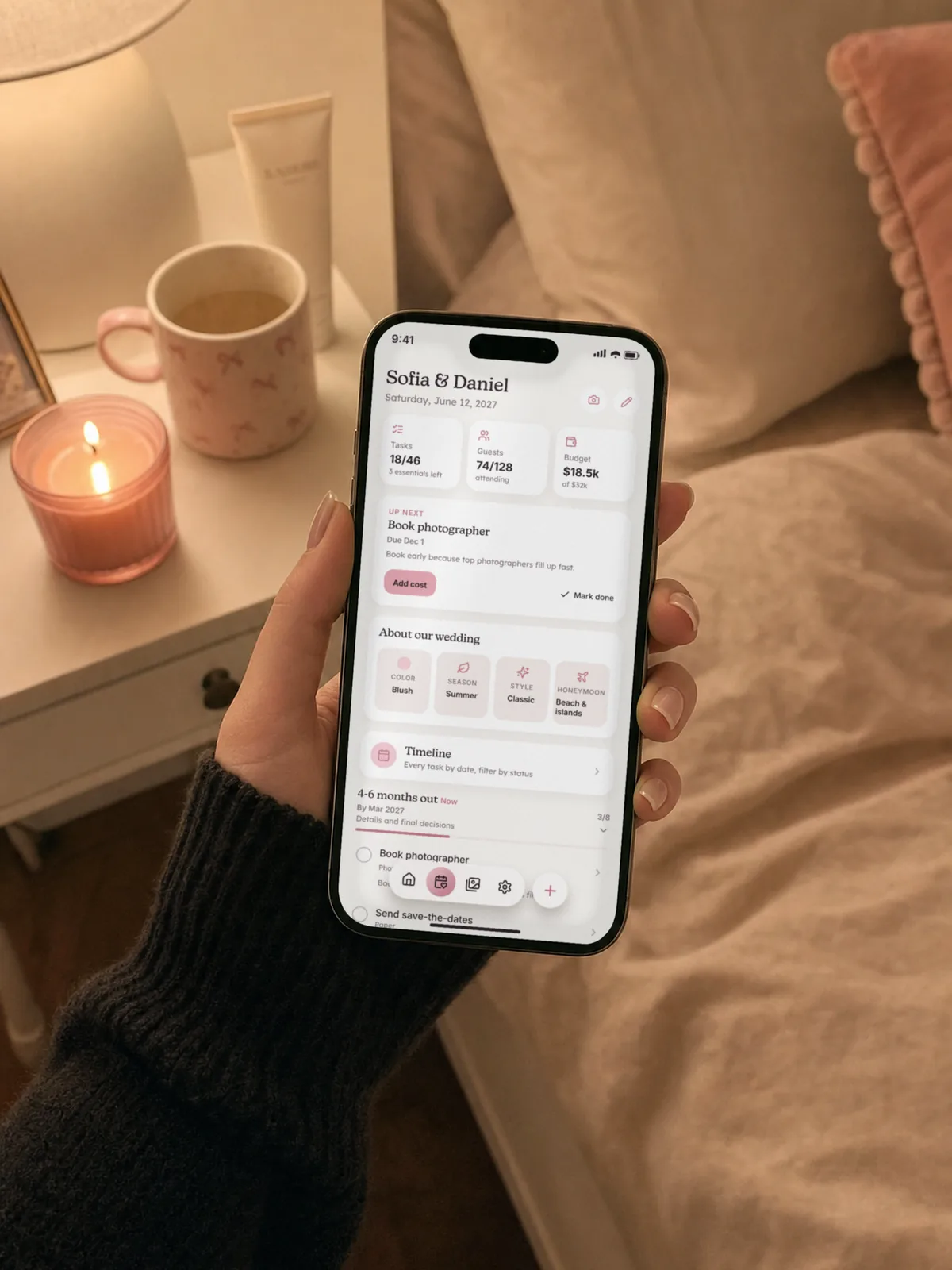
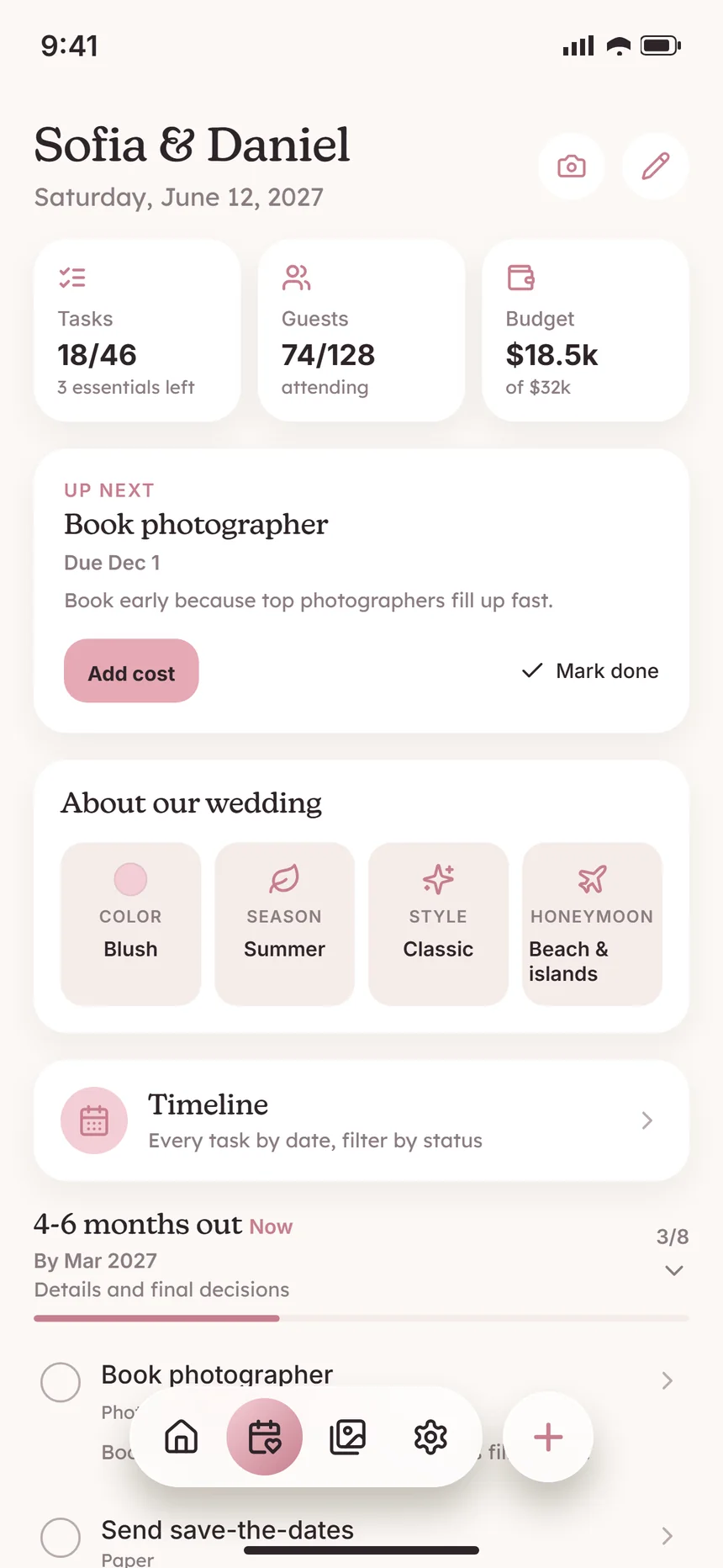
A checklist that knows what’s next.
Everly builds a countdown, overall progress and tasks grouped by phase, so you always know what to do next.
- Countdown and overall progress
- Up next tasks, always in reach
- Checklist organised by time before the wedding
Guests
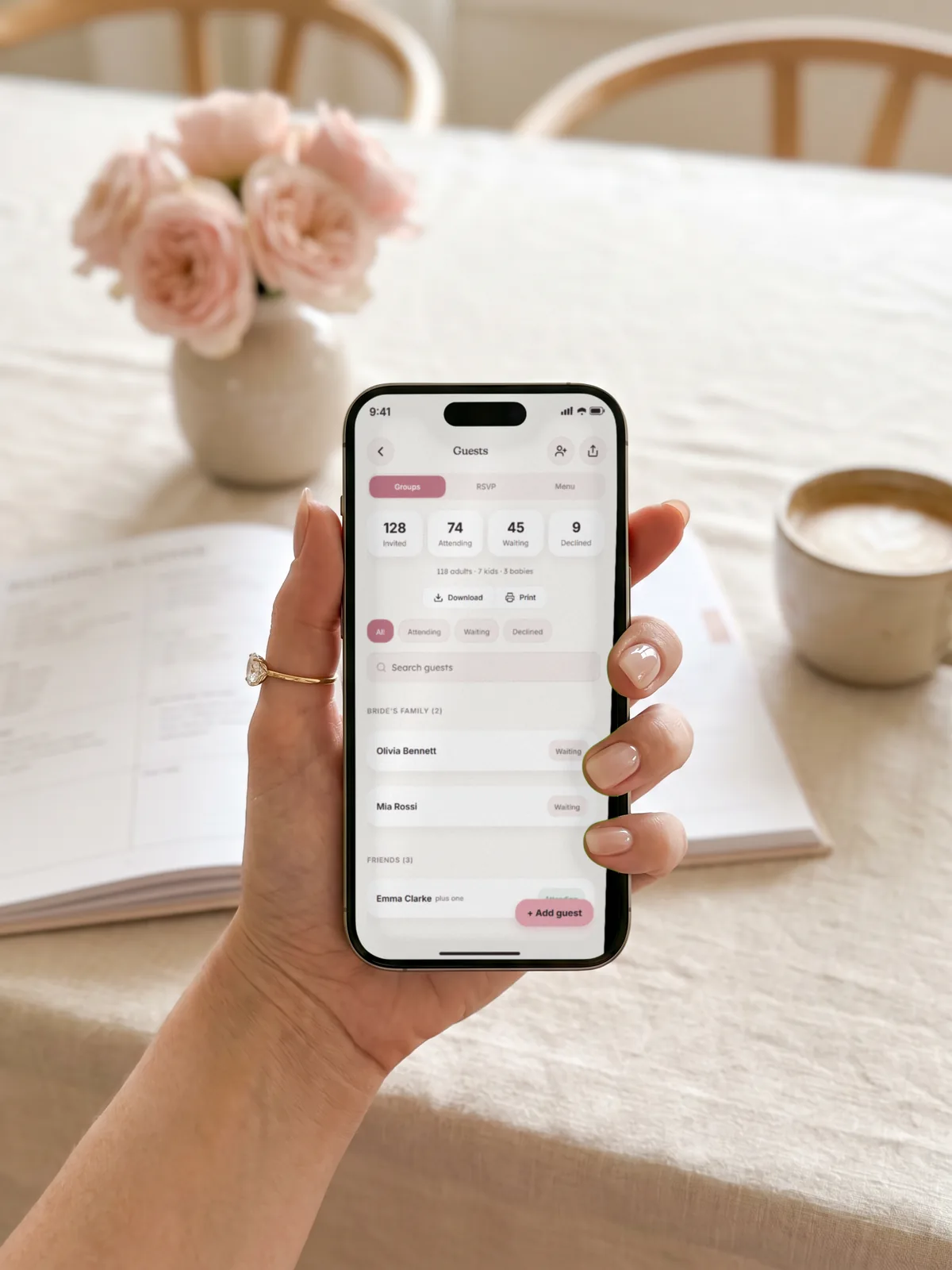
Know who is coming, what they eat, and who they bring.
Keep one guest list with RSVP status, meal choices, plus-ones and groups. Import from contacts or export to PDF when you need it.
- RSVP status and meal choices
- Plus-ones and guest groups
- Import from contacts, export to PDF
Budget
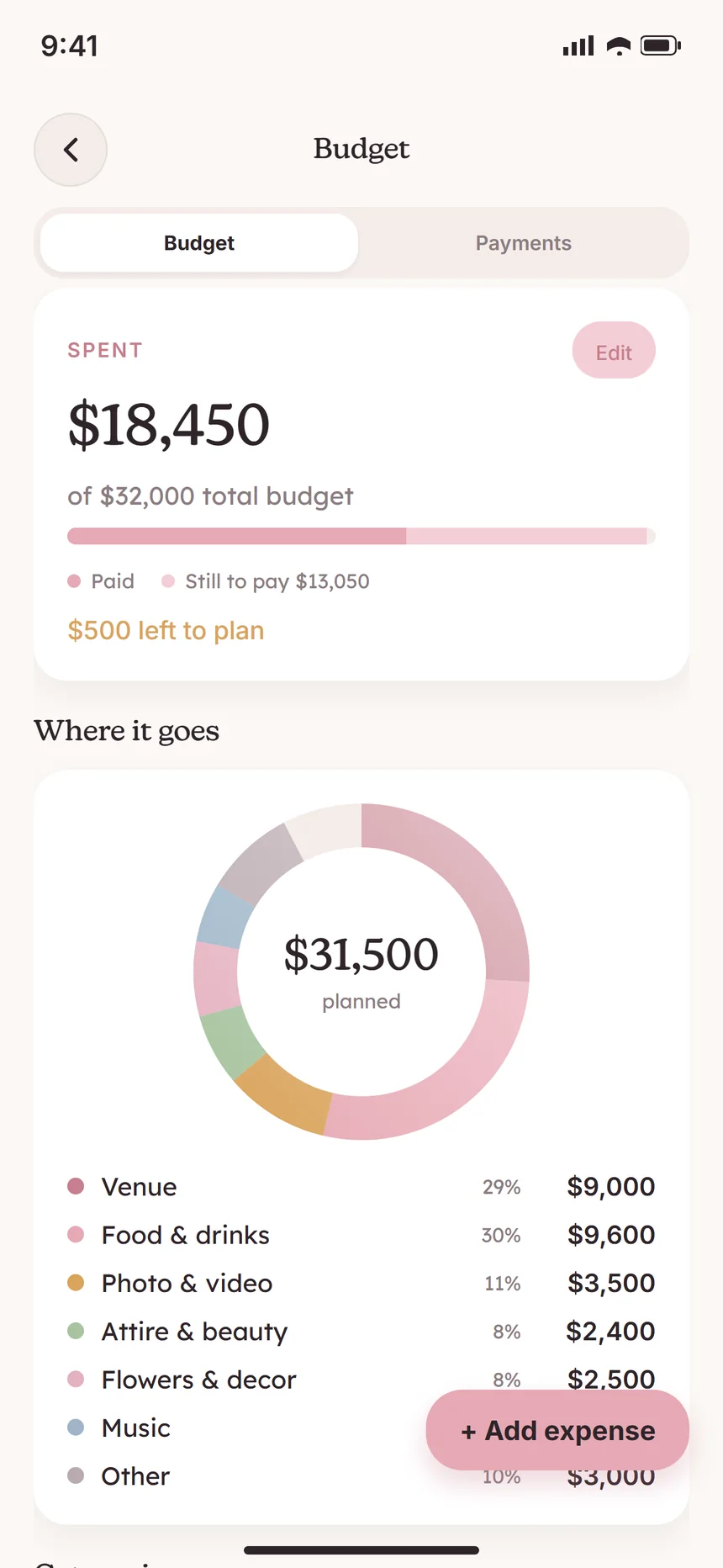
See where the money goes, before it goes.
Track your total budget, spent and remaining, with per-category progress and an expense log for every vendor and payment.
- Total budget, spent and remaining
- Per-category bars and donut chart
- Expense log by vendor and payment
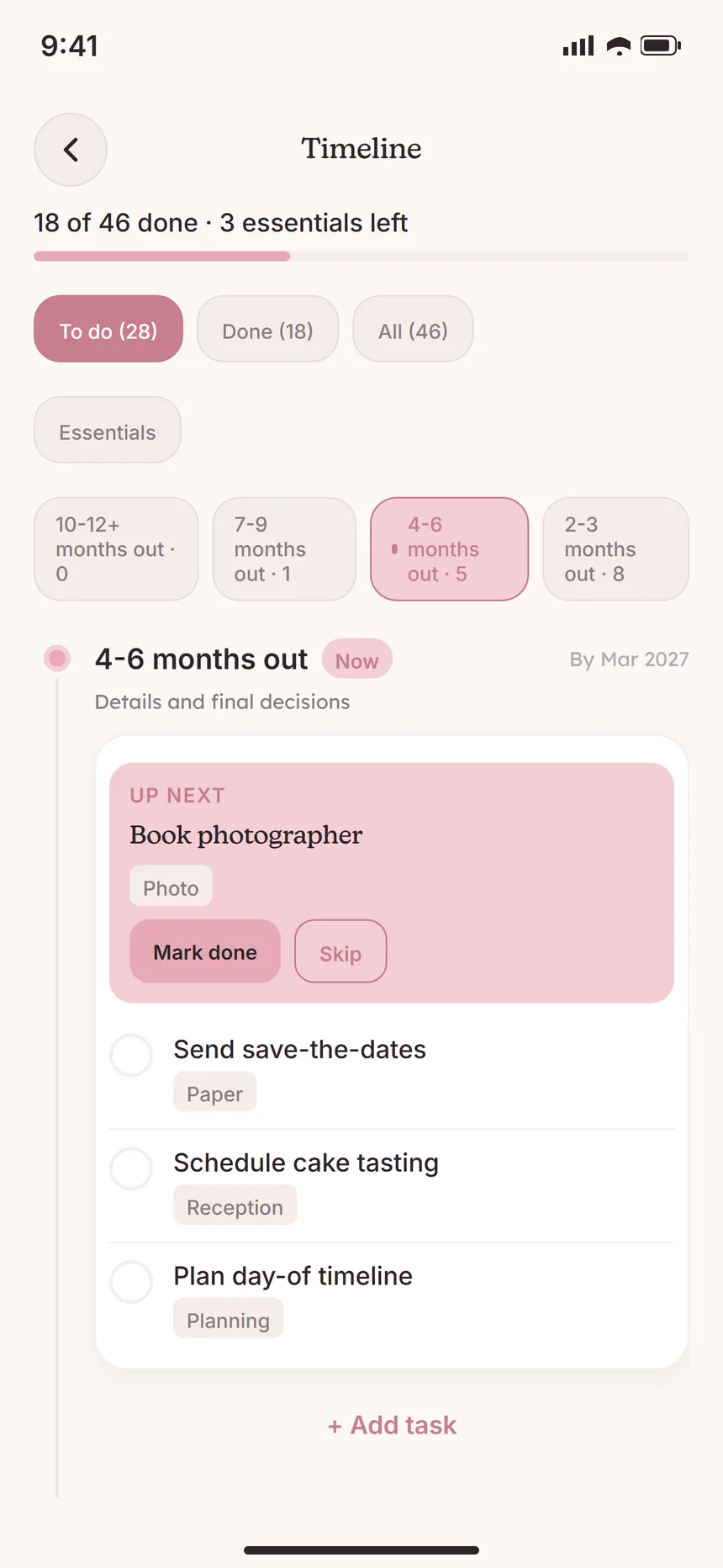
Timeline
Every task, counted back from the day.
See the whole plan by phase, from a year out to the final weeks, and exactly what is due right now.
- Tasks grouped by months before the wedding
- Filter by to do, done or essentials
- Due dates that count back from your date
Shared album
Your guests are the second photographer.
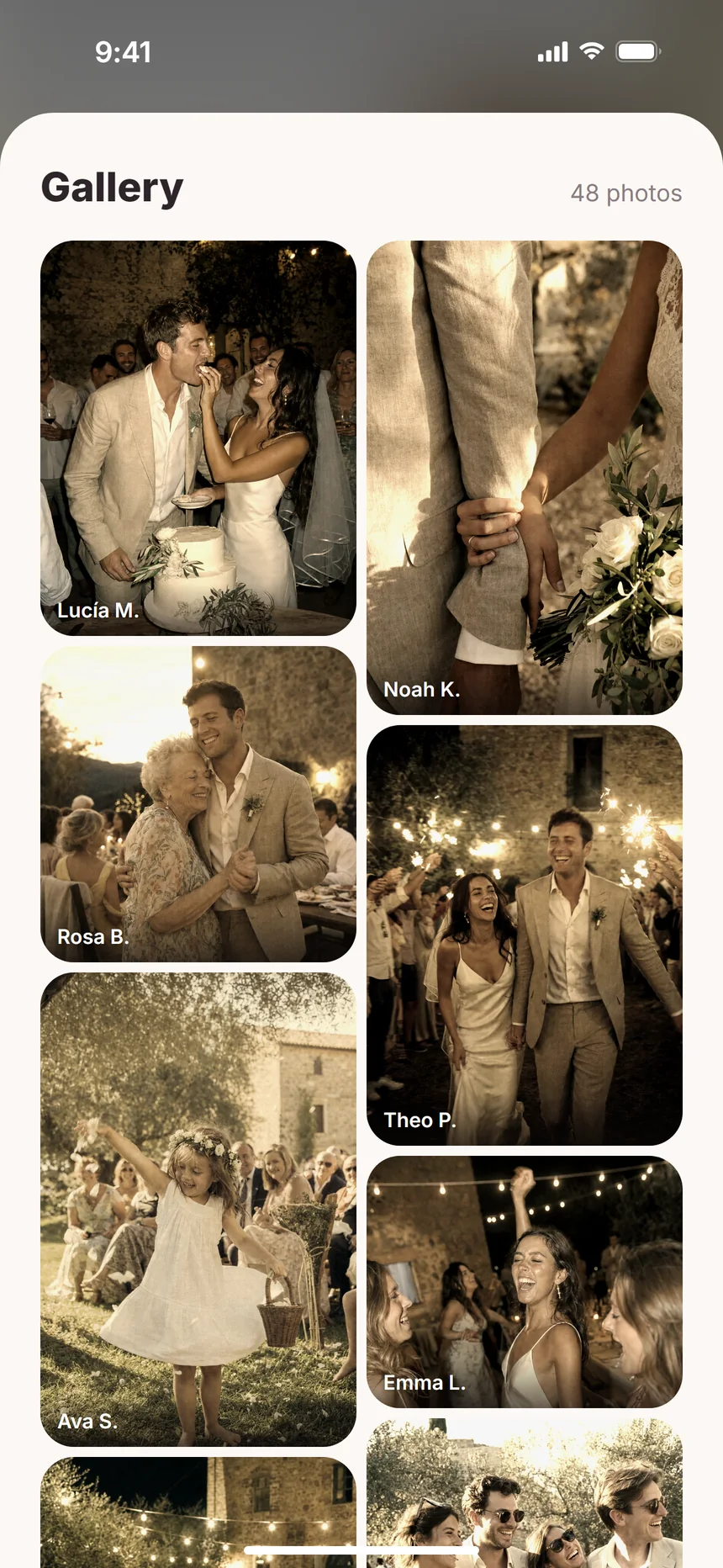
Set up a shared guest camera. Guests scan a QR, shoot a limited roll with one shared filter, and the album stays hidden until you reveal it.
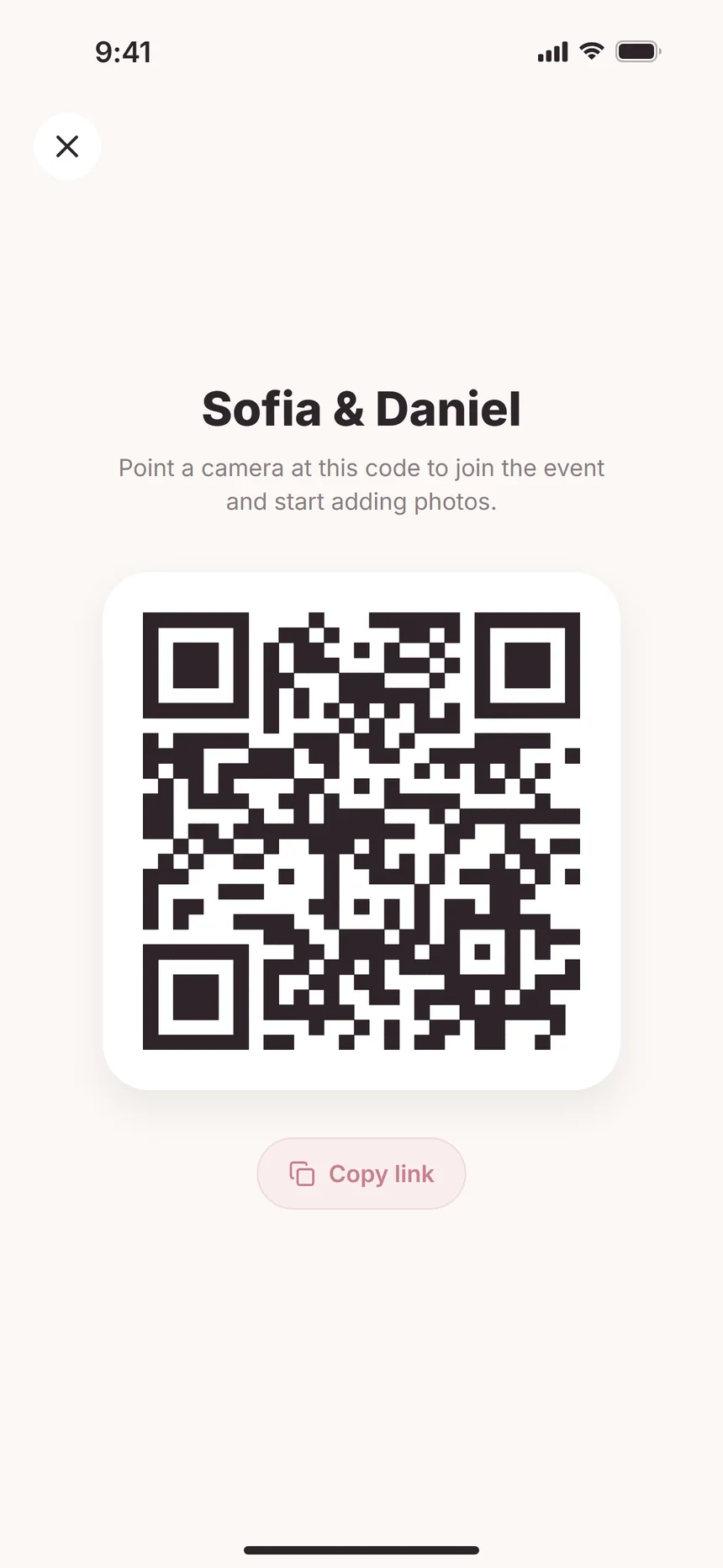
Share the QR
Guests scan a QR code at the party. No accounts needed.
Everyone shoots
Each guest gets a limited roll of shots with one shared filter.
Reveal it together
Nobody sees the photos until you open the album. Then they are all in one place.
Free vs Premium
Start free. Add more when you need it.
Free
- Plan tab with countdown, progress and up-next tasks
- Checklist organised by phase
- Shared wedding album
Download is free.
Premium
- Guest list with RSVPs, menus and groups
- Import guests from contacts and export to PDF
- Budget tracker for every vendor and payment
- Timeline of every task by date
Premium is an optional in-app subscription.
FAQ
Questions, answered.
Is Everly free?
Yes. Download is free. The Plan tab, countdown, progress, checklist, and shared wedding album are free. Premium is an optional in-app subscription for guests, budget, timeline, and import and export.
Do my guests need to download the app?
No. Guests scan the QR or open the invite link and can add photos straight from their phone’s browser, with no account and no sign-up. Guests who have the app can also shoot with the shared event camera.
Can we use it for engagement parties, showers or rehearsal dinners?
Yes. The shared album works for any event. Each event has its own QR code and guest limit, so you can create one for each celebration if you like.
Is it on Android?
Everly is iPhone only for now. We built the iOS app first and may consider Android later.
Who sees our photos?
Only people in the event. Nobody sees anything until you reveal the album. You can also choose whether guests see every photo or only their own.
Your wedding, planned.
Your photos, together.
Download Everly free and start your plan and your shared album today.
Download on the App Store